When you first launch your web file transfer service on JSCAPE MFT Server, you'll notice that the web user interface has the JSCAPE branding starting from the login screen and continuing inside. You can actually customize that and make it your own.
Topics:
JSCAPE MFT,
Managed File Transfer,
Tutorials
Not everyone using your web file transfer server needs to have a user account. There can be instances when it's perfectly fine for a user to just carry out an anonymous file upload. Meaning, that user doesn't have to login. This set up can be useful in cases where an outsider just needs to do a one-off upload. We'll show you how to enable that functionality on JSCAPE MFT Server.
Topics:
JSCAPE MFT,
Managed File Transfer,
Tutorials
Overview People who use SSL/TLS to secure their online transactions/file transfers are mostly only familiar with two of its security functions: 1. That it can encrypt data in transit and 2. That it can enable clients to authenticate the server. They're likely not making use of another feature that can greatly enhance SSL security even more - client certificate authentication. If you've been following our posts, you know that client certificate authentication has been the subject of our discussion lately. However, we've never been able to talk about how to enable it on the server side. This quick post will be all about that.
Topics:
JSCAPE MFT,
Managed File Transfer,
Tutorials,
Secure File Transfer,
FTPS
Because Microsoft Windows doesn't have a secure file transfer protocol server built in, we've put together a simple and easy-to-follow tutorial on how to install an SFTP server on Windows. The SFTP server we'll be using for this tutorial is JSCAPE MFT Server, a managed file transfer server that supports SFTP connections and several other file transfer protocols like FTP, FTPS, HTTP/S, WebDAV, AS2 and OFTP, as well as SSL and TLS. JSCAPE also offers a cloud solution called MFTaaS.
Topics:
JSCAPE MFT,
Managed File Transfer,
Tutorials,
Secure File Transfer,
SFTP
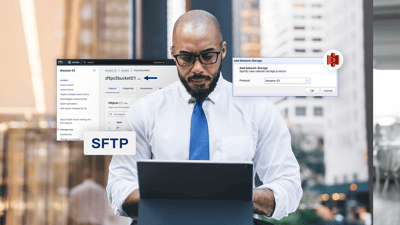
Many businesses use Secure File Transfer Protocol (SFTP) to transfer data between business units or to trading partners. With the growing adoption of cloud solutions, it makes sense to leverage the cloud to enhance deep-rooted solutions like SFTP. For instance, you can integrate your SFTP server with Amazon Simple Storage Service (S3) so that files SFTP users and trading partners upload to that server are automatically forwarded to an AWS S3 bucket.
Topics:
JSCAPE MFT,
Managed File Transfer,
Business Process Automation,
Tutorials,
SFTP,
AWS,
S3
There are several possible reasons why you might want to copy files from Azure Blob Storage to AWS S3 (or vise versa). Maybe you want to migrate from one cloud to another. Maybe you subscribe to both cloud storage solutions and want to synchronize between the two. Maybe you just want to perform a backup. Whatever reason you might have, here's a solution that doesn't require a single line of code, can run fully automated, and can be used for other cloud storage and network services as well.
Topics:
JSCAPE MFT,
Managed File Transfer,
Business Process Automation,
Tutorials,
Triggers
All this time, you've been uploading loads upon loads of files onto your Azure Blob Storage container. But now, you have this workflow that will need some of those files on a monthly basis. In this tutorial, we'll show you how to configure JSCAPE MFT Server so that it will download a certain set of files from your Azure Blob Storage container on a pre-defined schedule.
Topics:
JSCAPE MFT,
Managed File Transfer,
Business Process Automation,
Tutorials,
Triggers
For today's tutorial, we're going to show you how to configure JSCAPE MFT Server so that it will copy files from a local directory to Azure Blob Storage on a predefined schedule.
Topics:
JSCAPE MFT,
Managed File Transfer,
Tutorials,
Triggers
A lot of automated business processes out there use FTP or FTPS to upload data to a server. What if most of it is unstructured data like videos, images, and audio files, and, instead of an FTP/S server, you would like Azure Blob Storage as the final destination for all that uploaded data. That should be fairly easy if your FTP/S service is running on JSCAPE MFT Server. We'll show you how to set up MFT Server for that particular purpose in this post.
Topics:
JSCAPE MFT,
Managed File Transfer,
Tutorials
Last time, we taught you how to copy users from one JSCAPE MFT Server instance to another using the Promote feature. That's the easiest way to copy users if you have a network connection between those two MFT Server instances. But what if you don't? Well, you can use the Export and Import features instead.
Topics:
JSCAPE MFT,
Managed File Transfer,
Tutorials