Overview Individuals in your organization may have to handle lots of sensitive information. Because there's always a good chance their files are going to contain confidential data, it would be best to ensure that every single file they upload to your server get utmost protection. On JSCAPE MFT Server, you can do that by applying OpenPGP encryption on all virtual paths owned by that user.
Topics:
JSCAPE MFT,
Managed File Transfer,
Tutorials,
Secure File Transfer
Overview Whenever PGP files uploaded to your server happen to contain data needed for business processes, you might want to have those files decrypted automatically. That way, they can then be forwarded to the applications waiting to process them. JSCAPE MFT Server has an easy way of doing that and it's what we're going to show you today.
Topics:
JSCAPE MFT,
Managed File Transfer,
Business Process Automation,
Tutorials,
Secure File Transfer,
Triggers
Overview Sometimes, for security reasons or simply just to save disk space, we want certain files to be automatically deleted from the server as soon as its intended recipient has already downloaded it. Today, you'll learn how to do that on JSCAPE MFT Server.
Topics:
JSCAPE MFT,
Managed File Transfer,
Business Process Automation,
Triggers
Overview In today's data-driven world, the accuracy, integrity, speed, confidentiality, and availability of data matters a lot to businesses. That's why it's imperative for file transfer systems to be capable of meeting the highest standards in regards to those aforementioned qualities. In this post, we examine the typical SFTP server and point out what kind of benefits you'll get from it as a method for delivering business critical data.
Topics:
JSCAPE MFT,
Managed File Transfer,
Secure File Transfer,
SFTP
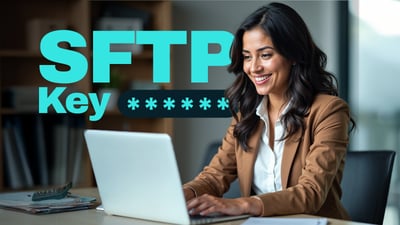
Used at the start of a Secure File Transfer Protocol (SFTP) session, an SFTP key is a type of credential you load on an SFTP client to authenticate with an SFTP server. SFTP keys are commonly used in automated SFTP file transfers, but you can also use them in user-initiated file transfers, either on their own or alongside a password for two-factor authentication (2FA).
Topics:
File Transfer Clients,
Secure File Transfer,
SFTP
Overview: SFTP Command Line Although GUI SFTP file transfer clients are more intuitive to use, some people still prefer to use SFTP through the command line. That's understandable. If you're already familiar with all the commands you need, a command line interface can be so much faster and powerful than any GUI-based counterpart. In this post, we're going to introduce you to the SFTP command line and show you how it can be quite a handy tool as long as you're willing to roll up your sleeves and get dirty.
Topics:
Tutorials,
Secure File Transfer,
SFTP
What is PGP encryption, and how does it work? Pretty Good Privacy (PGP) encryption protects your enterprise files both in motion and at rest and keeps sensitive data secure beyond the transfer path. It delivers lasting protection with fast performance, strong key exchange and broad compatibility to help you stay compliant and safeguard critical information. Learn more about what PGP encryption is, how it works and how your enterprise organization can leverage PGP encryption throughout its file transfer process.
Topics:
JSCAPE MFT,
Managed File Transfer,
Business Process Automation,
Tutorials,
Secure File Transfer
Overview A client wanted to know if there was a more efficient way of archiving and/or deleting old log files to clear up some storage space on their managed file transfer server. They were currently doing things manually and he understandably wanted to adopt some form of automation. Fortunately, JSCAPE MFT Server offers a solution and we'd like to detail the steps here so that anyone else interested may also follow it.
Overview JSCAPE MFT Servers can provide high availability file transfer services if you deploy two or more servers and set them up for clustering on JSCAPE MFT Gateway. But to achieve best results, your servers should be connected to a shared storage system. In this post, we'll talk about the advantages of using shared storage and how to set one up using FreeNAS. Click here to see it in a free trial.
Topics:
JSCAPE MFT
Overview An MDN is an electronic return receipt that a trading partner can optionally request during an AS2 interchange. The use of MDNs helps enforce data integrity and non-repudiation in AS2. In this post, we'll discuss the value of issuing an AS2 MDN, your options when using it, and an overview of the usual configurable MDN settings in a managed file transfer server.
Topics:
AS2,
MDN