Although plain File Transfer Protocol (FTP) has been the data transfer solution of choice for several decades, it’s no longer fit for today’s business environments. With so many business processes now involving sensitive data, file transfer workflows are now at risk of various threats. And because plain or standard FTP is inherently plagued with serious vulnerabilities, it’s important to replace it with more secure alternatives. In this post, we’ll talk about how you can take advantage of two secure FTP options and make them even more suitable for transferring sensitive information.
Topics:
Secure File Transfer,
SFTP,
FTPS,
FTP
JSCAPE is pleased to announce the release of Email Factory for .NET 2.4.0
Topics:
News,
FTP
There are a number of things to consider when setting up the reverse proxy and firewalls in your DMZ. These things are going to have a significant impact on the performance and security not only on your file transfers but for your entire network in general, so you really need to weigh the advantages and disadvantages of each set up before deciding how you are going to put everything together. Let's talk about it when you request a free trial.
Topics:
JSCAPE MFT,
Secure File Transfer,
FTP,
Reverse Proxy
For several decades, the file transfer protocol (FTP) served as the de facto method for transferring files across the internet. Organizations used FTP transfers to move multiple files or large files from one geographical location to another. Some businesses, for example, use FTP to upload files from their local PC to their web server.
Topics:
File Transfer Clients,
Tutorials,
FTP,
FTP Server,
ftp client
JSCAPE is pleased to announce the release of AnyClient Web, an intuitive web based file transfer client available for Windows, Mac OS X and Linux operating systems. AnyClient Web supports all major file transfer protocols including FTP/S, SFTP, WebDAV, AFTP and Amazon S3.
Topics:
News,
File Transfer Clients,
FTP
Scheduled file transfers offer significant operational, strategic and technical benefits. They allow your IT staff to save time and improve productivity. They also help ensure that data transfers for time-sensitive business processes are consistently carried out on time. Lastly, they enable you to maximize computing resources and network bandwidth when you schedule the transfers to run after office hours.
Topics:
FTP,
FTP Server
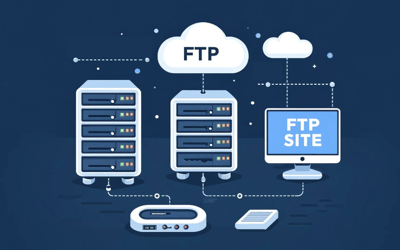
An FTP site is a server that enables you to upload and download files through the File Transfer Protocol (FTP). Many people use FTP sites to move large files or numerous files from one computer system to another across a network.
Topics:
FTP,
File transfer,
File transfer protocol
What is AS2 protocol? AS2 or Applicability Statement 2 is a file transfer protocol that’s commonly used in business-to-business (B2B) data transfers. It’s based on the S/MIME and HTTP/S protocols. While you can theoretically use AS2 to transfer almost any type of file, it’s normally associated with electronic data interchange (EDI).
Topics:
SFTP,
AS2,
FTP,
File transfer protocol
When you first start identifying the right file transfer solution for your organization, you’ll encounter these two acronyms: MFT and SFTP. SFTP stands for SSH file transfer protocol, and SFTP uses Secure Shell (SSH). While SFTP is indeed a protocol, MFT isn’t. Nevertheless, these two acronyms become increasingly intertwined once you explore advanced, secure and automated file transfer solutions.
Topics:
JSCAPE MFT,
Managed File Transfer,
SFTP,
FTP
This tutorial is for those who 1) understand the vulnerabilities of FTP but still want to learn how it's used AND 2) prefer doing things on the FTP command line.
Topics:
Tutorials,
FTP,
FTP command line,
ftp put command